



Travelog
As much as people love to travel and share their experience with families or friends, some of them might post their travel itineraries and tips on social media for review. One way of doing this is to write a travel log.
While it's never easy to write the logs, not even mention remembering details from the travel, editing texts or pictures and uploading files. Well, the lists could go on... That's why we designed Travelog for creating better recording experience during or post travel.
PROJECT OVERVIEW
Duration: 1 month
Team: 3 members
PROCESS
Online research - Problem Space (Survey) - Persona Creation - Ideation - User Flow - Wireframe - Usability Test - Final Design
WHO IS OUR TARGET USER?
Before we start this project, we want to to explore WHO is our target user, WHAT are their characteristics, and HOW the design could be developed to create a better digital experience for them. We then explored the data online.
The RESULTS are:
Almost 70% of users under age 30 use digital applications to write travel logs.

WHAT IS THE PROBLEM SPACE?
To fully understand our users' needs and the pain-points, we had 20 participants to fill out a survey. The survey questions explored their experience of writing travelog of their own and reading travelog of others.


MAIN TAKEAWAYS
Writing a travel log is a complex process if users want to include as much as the details they want.
-
They need to remember details such tickets' price, spots' addresses, where did they go and the lists go on.
-
Arrangements and management of photos and text contents are time-consuming.
-
For someone who wants to explore information among others' travel log, reading is never easy.
Reading a travel log is time consuming if the readers try to collect information for their travel preparation.
-
People have different style of forming their travelog which makes reader hard to locate information useful to them. For example, some people prefer only showing the pictures, some prefer writing lots of descriptive words.
HOW DO WE DESIGN?
Using the rich insights we had, we created 3 personas to help with coming up for scenarios for Travelog.

WHAT FUNCTIONS DO WE NEED?
After having the personas and scenario, we started to explore the main functions and user flow of the Travelog, then using the user flow for further development of details.

WRITE LOGS

READ LOGS

SEARCH LOGS

COMMENTS
-
Recommending logs based on users preference and search history
-
Reading logs based on clean and simple form with plenty of information
-
Offering users with different filters for searching
-
Users could search the logs based on the days, budgets, destination.
-
Users could leave comments for logs or ask questions if they want to
-
Creating an interactive community for social communication
-
Selecting & filtering photos
-
Auto-arranging photos by timeline
-
Displaying location of every photo
-
Writing logs beside each photo
-
Generating logs based on the above information

Based on the main functions we developed, we created the user flow to better understand how users interact with the system and what are the subfunctions under main ones.
WIREFRMES
Sign up/in
Home


Search logs


Read logs
Edit pictures


slide

tap


Write logs

Comments
Usability Test
We then had 3 participants to do usability tests by giving them scenarios and having them play around with the app.
-
You're about to travel to Chicago for 5 days with $800-$1000dolloars, and you want to find out some travel tips and arrange your itinerary.
-
You've traveled to Chicago for 2 days, now it's time for you to upload some pictures and write down some of your experience, and post it on the Travelogs.
-
You got some comments on your Chicago travel logs, let's find out what is it and meanwhile you're still excited about this trip. You want to review your footprints in Chicago to recall some good memories!
.Results:
-
See search history.
-
Not sure about what does "submit" mean after finishing writing logs.
-
Wish to upload video.
-
Customize travel plan for own use.

Search for logs
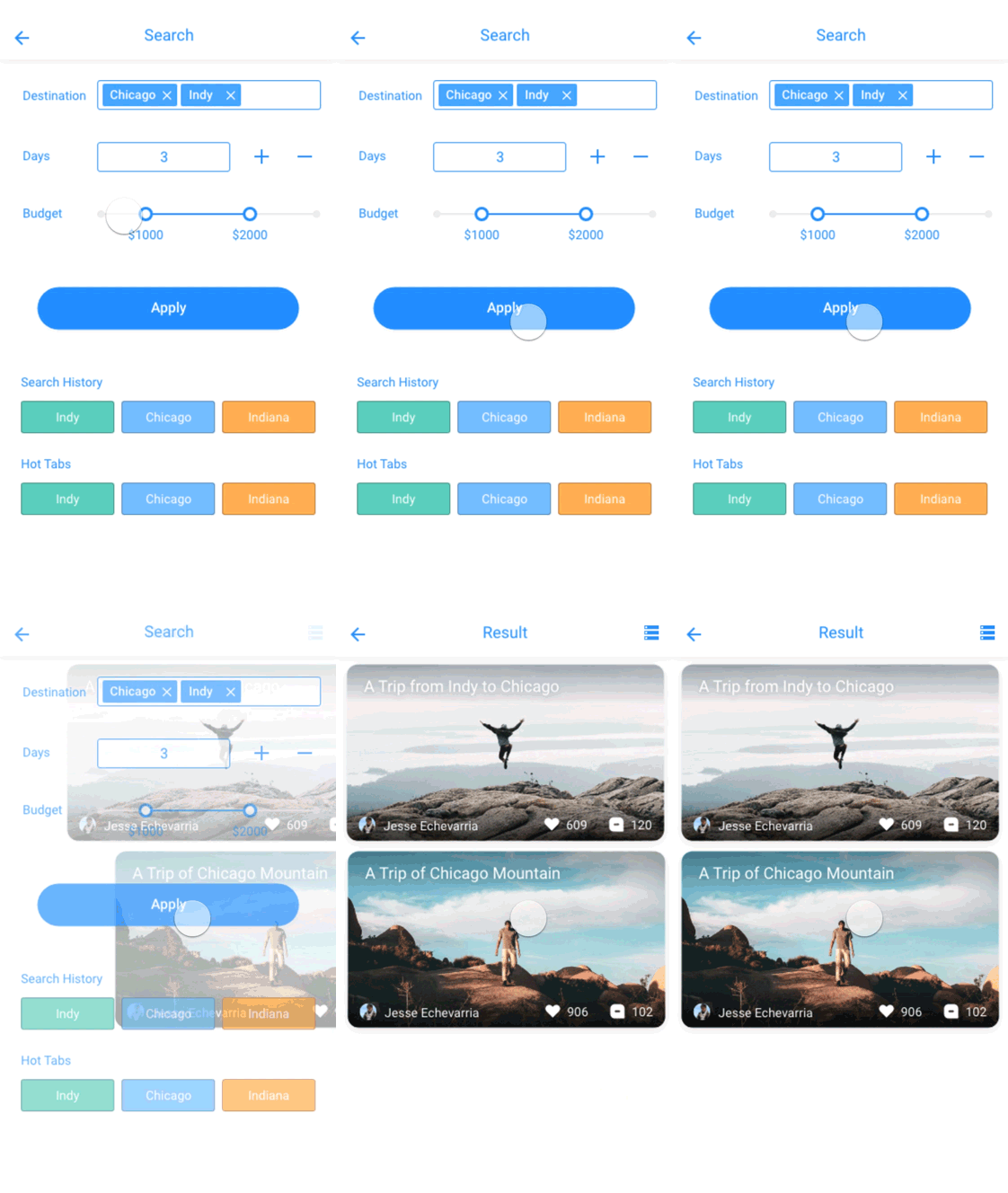
You could search your desired logs with more options for you to gather information for your next trips. Those information including including days you wish to travel, budgets for the trip.
Read logs
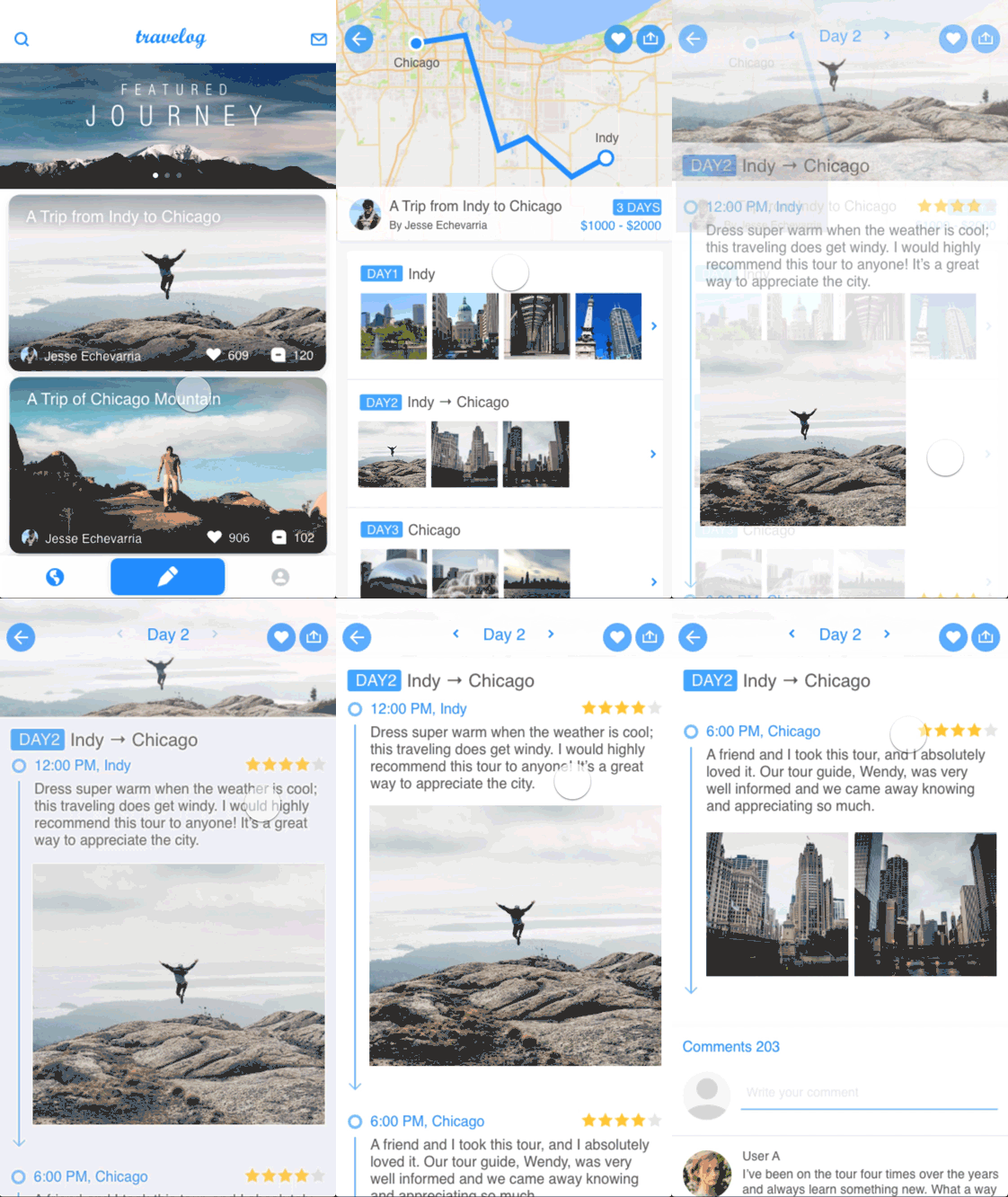
Now you could check your results by clicking one of the logs. It was arranged by daily activities with photos. If you're interested in any specific day, you could further click that day. Information was arranged by time order, you could review the travel plan, the places they've been, the reviews and the photos. Of course, if you think the review wrote by this author was little bias, you could check the comments left by others!

Write logs
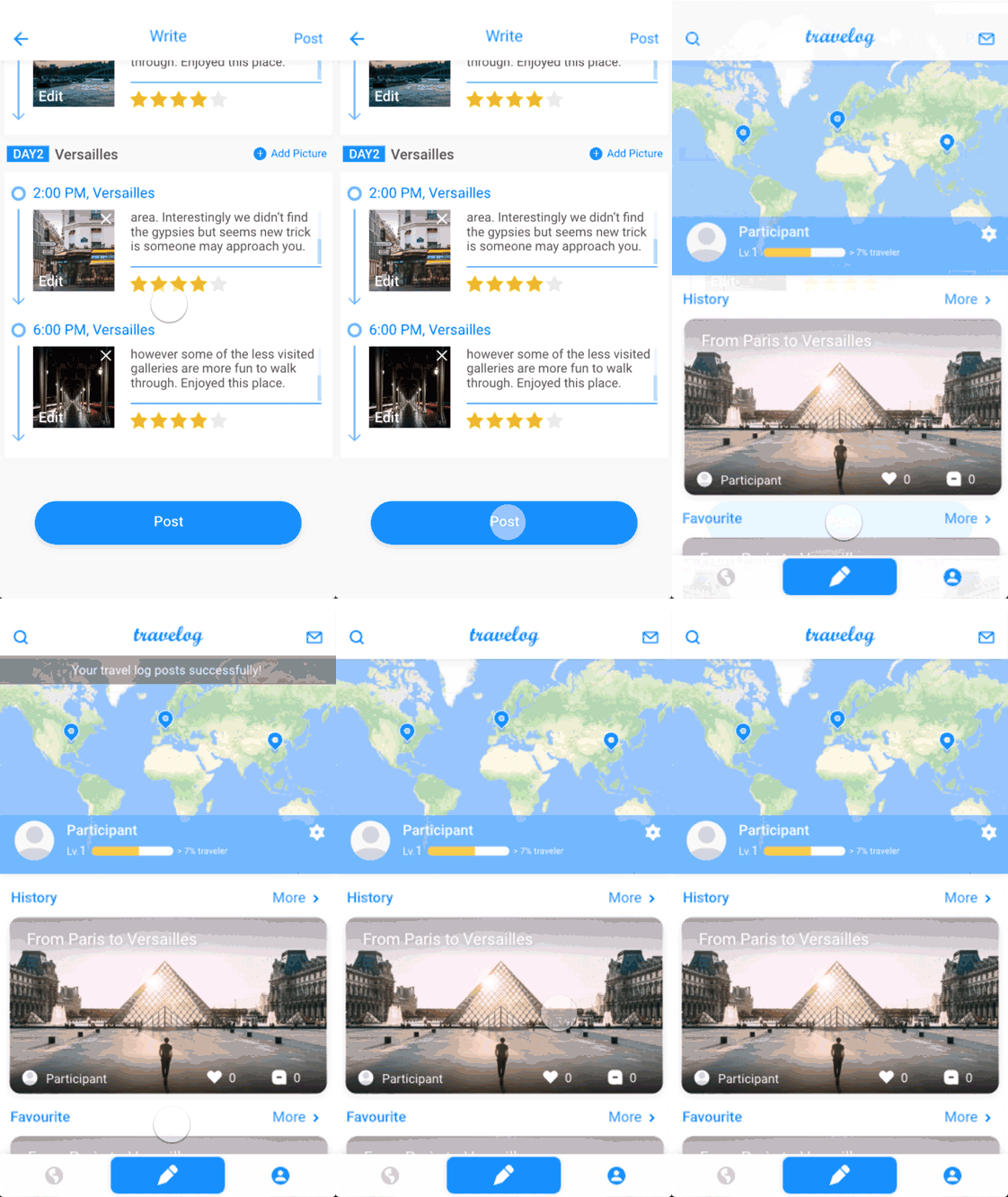
You don't need to arrange photos and texts manually, cause the Travelog already done this for you! It generates a structured format for daily travel logs, all you need to do is to fill out the blanks and upload your pictures! Also, you don't bother to open other filter apps or tools, you could do this in Travelogs.
View footprints
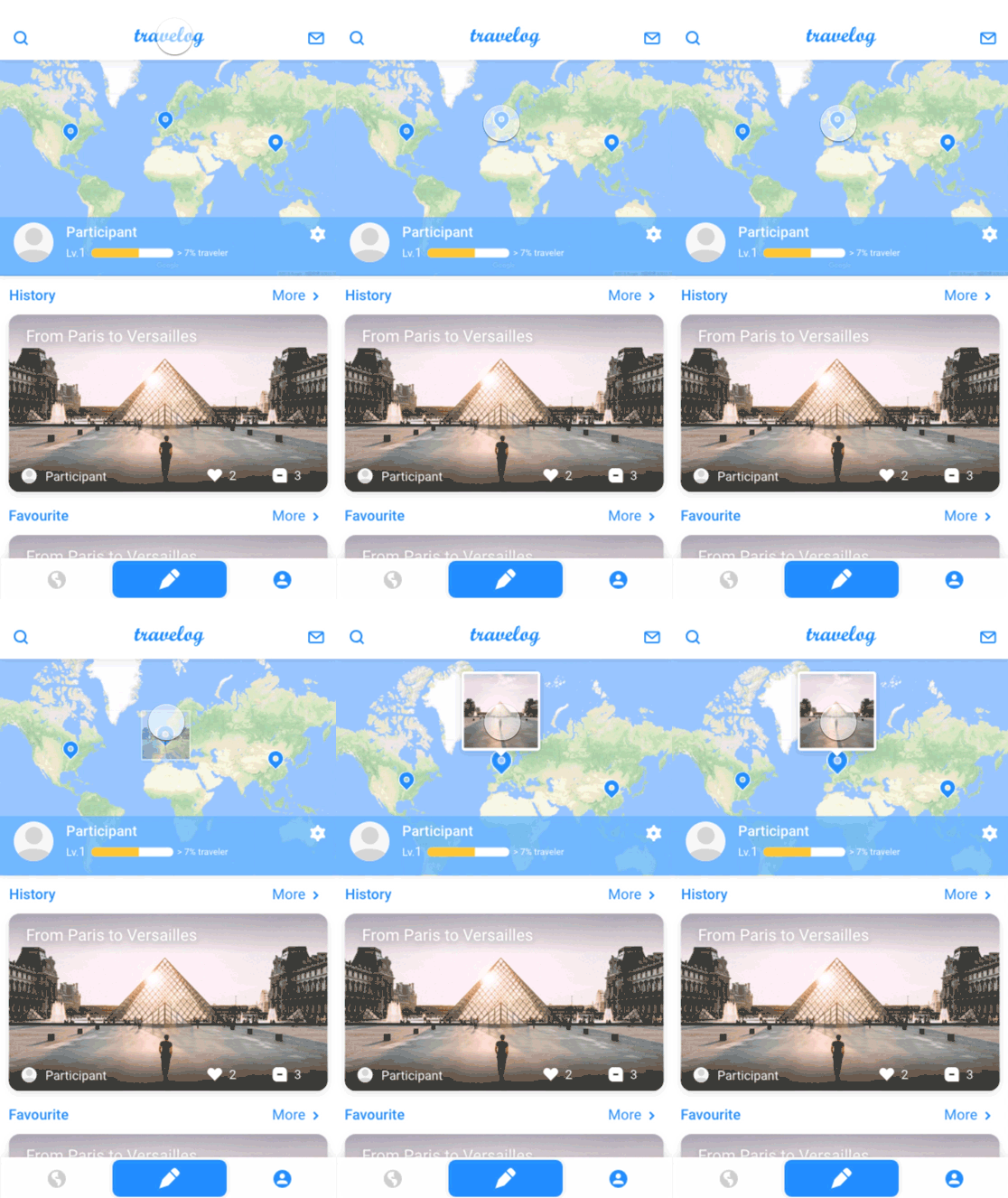
Travelog could mark your footprint on a map, you could always enjoy all of your journeys throughout the maps without opening bunch of files on your computer.
FINAL DESIGN
NEXT STEP
Customize the logs for own trip preparation
During our usability tests, one of our participants brought up a very interesting, profound perspective. She asked whether she could copy other's travel log and customize for her own trip plans. We all thought this feature is very useful, and totally from another scope of the projects. If we have more time, we would definetly explore more about this scope.
More options for writing logs
We made assumption that users write logs with pictures and texts. But there are other formations out there. Some users prefer only presenting pictures, some prefers only recording through texts. If we have more time, we would design more options for users and find out a way for readers to better locate information from those 2 forms.
More case studies


Converse
Optimizing Converse custom shoppers' experience, enhancing overall product list page(PLP) and product detail page (PDP) features.
UX/UI Design, User Research, Front-end Development


Children's Museum Indianapolis
Conducted an accessibility study aimed at improving museum experiences for adults and children with sensory sensitivities.
UX/UI Design, UX Research, Prototyping


Children's Museum Accessibility
Conducted research across 309 native children's museums to uncover missing accessibility information, and make actionable recommendations
Conducted research across 309 native children's museums to uncover missing accessibility information, and make actionable recommendations
User Research, Data Analysis
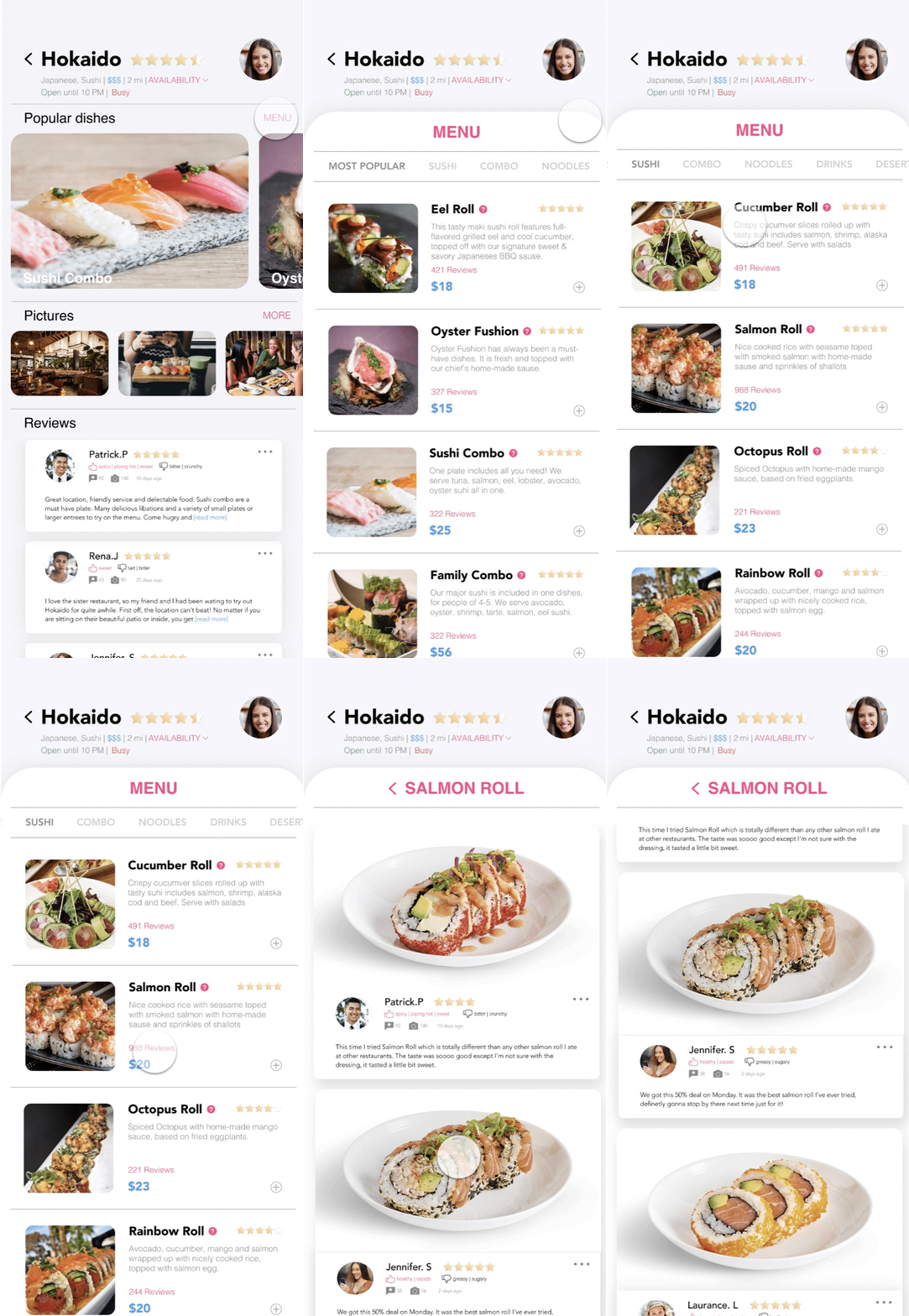
GoEat
Designed an app streamlines dine-in experience: find a restaurant meet your expectation, decrease wait time in the restaurant.
UX/UI Design, User Research, Prototyping


FitBud
Designed an app assist you find desired workout mates, schedule workout date, and keep in touch
UX/UI Design, User Research, Prototyping


Fitness Wearable Device
UX Research: Improve auditory feedbacks from wearable device
2017.8
CHI2018
CHI2018
